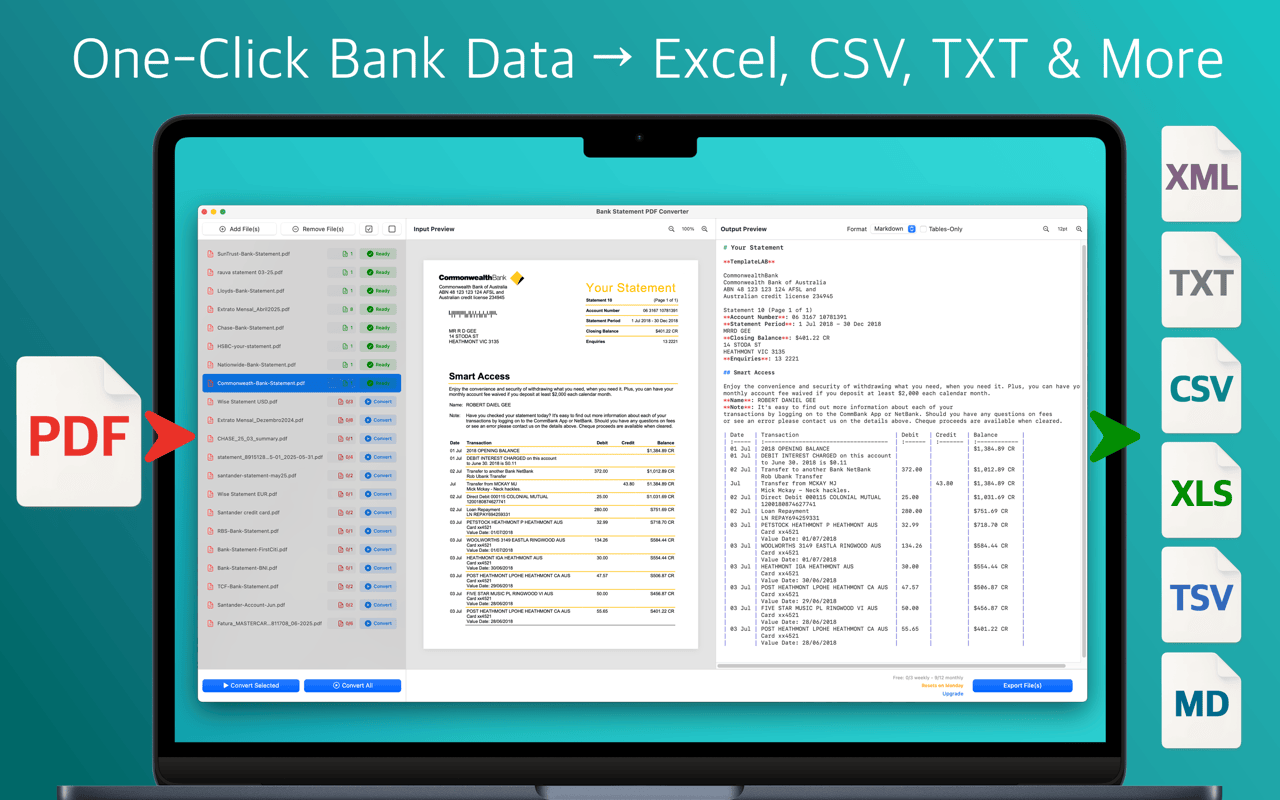
The Mac and iPhone app that turns any bank statement PDF into clean Excel, CSV, or Markdown you can actually work with. Smart transaction detection, batch conversion, no per-bank templates required.
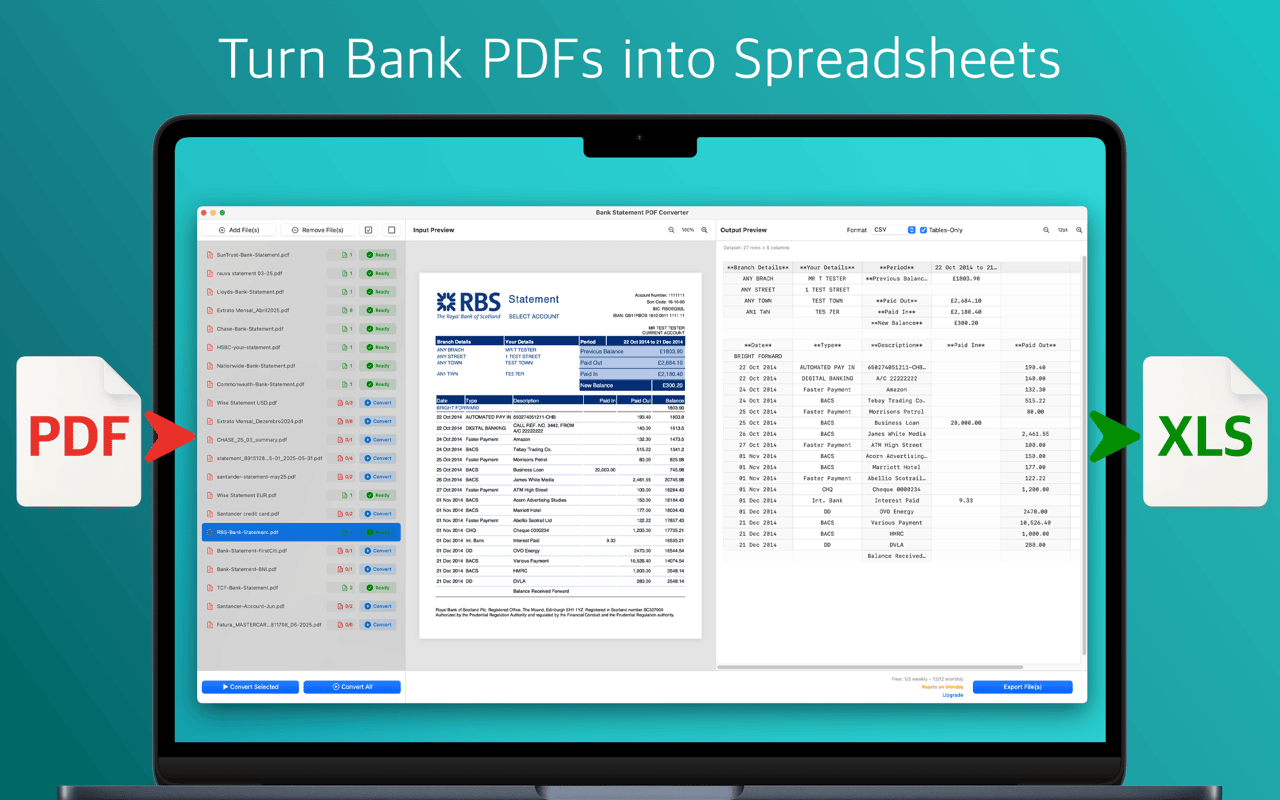
Month-end reconciliation, bookkeeping, tax prep, expense review. No per-bank templates, no CSV cleanup marathon, no copy-paste roulette.
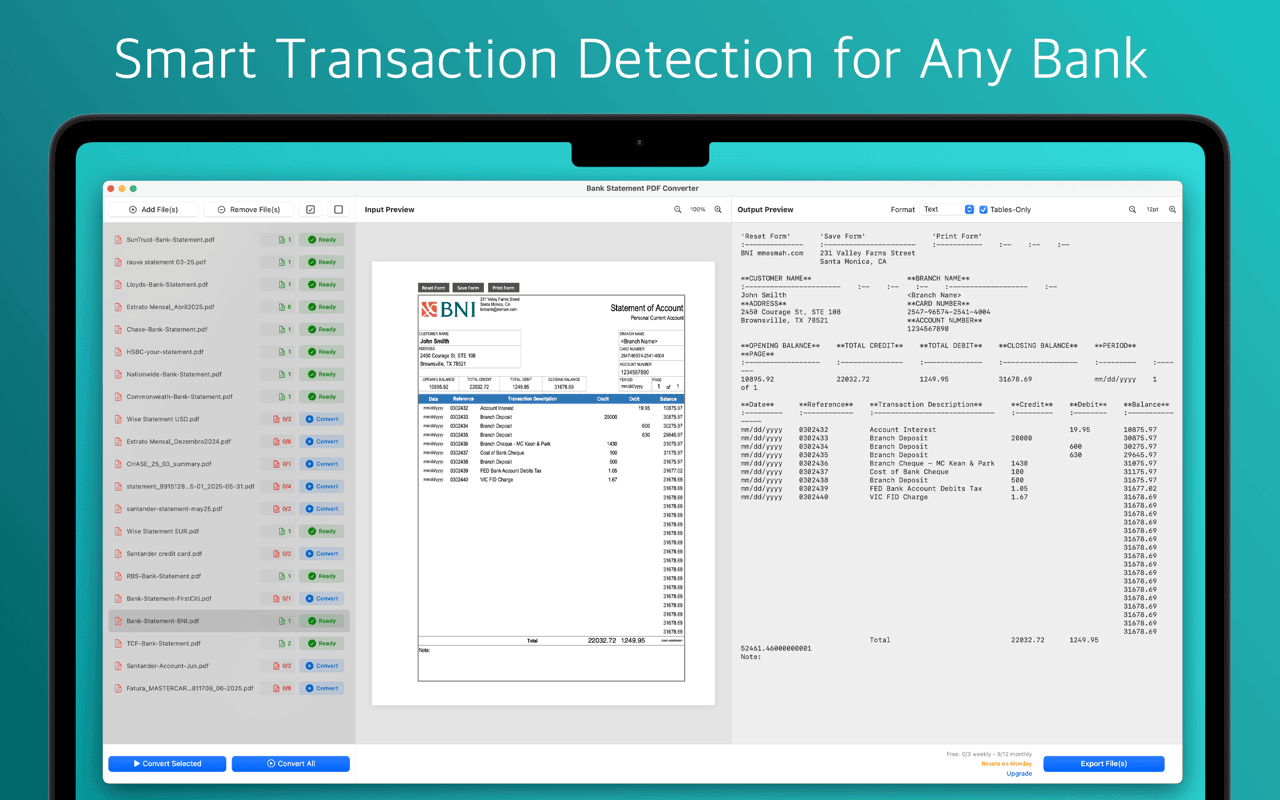
Finds the transaction table even when banks bury it in marketing, summaries, or multi-column layouts. Works across countries and formats.
Drop a whole folder of statements and convert them all in one pass — consistent columns, consistent dates, consistent output.
XLSX, CSV, TSV, Markdown, XML, and plain text on macOS. CSV, MD, and TXT on iOS. One extraction, your choice of output.
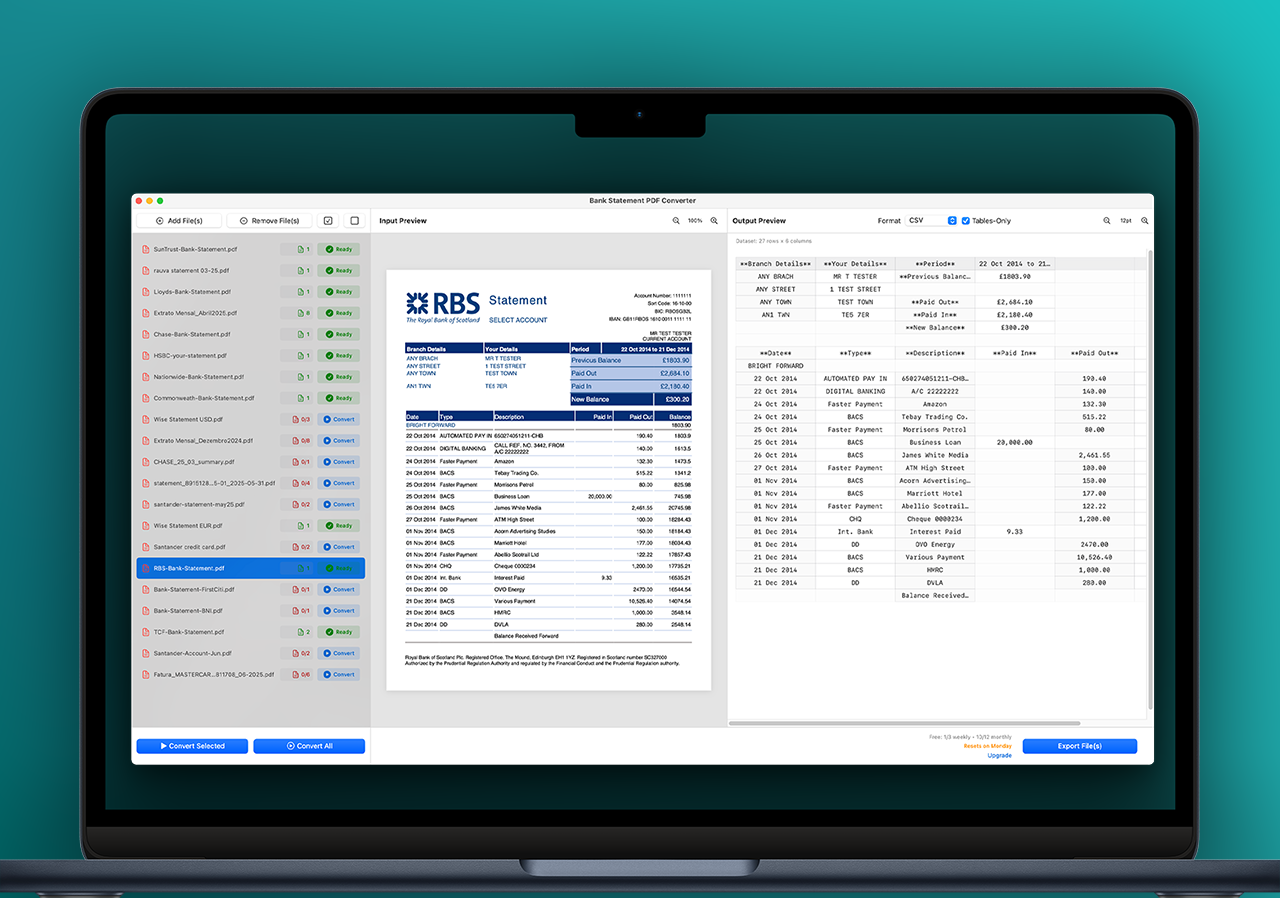
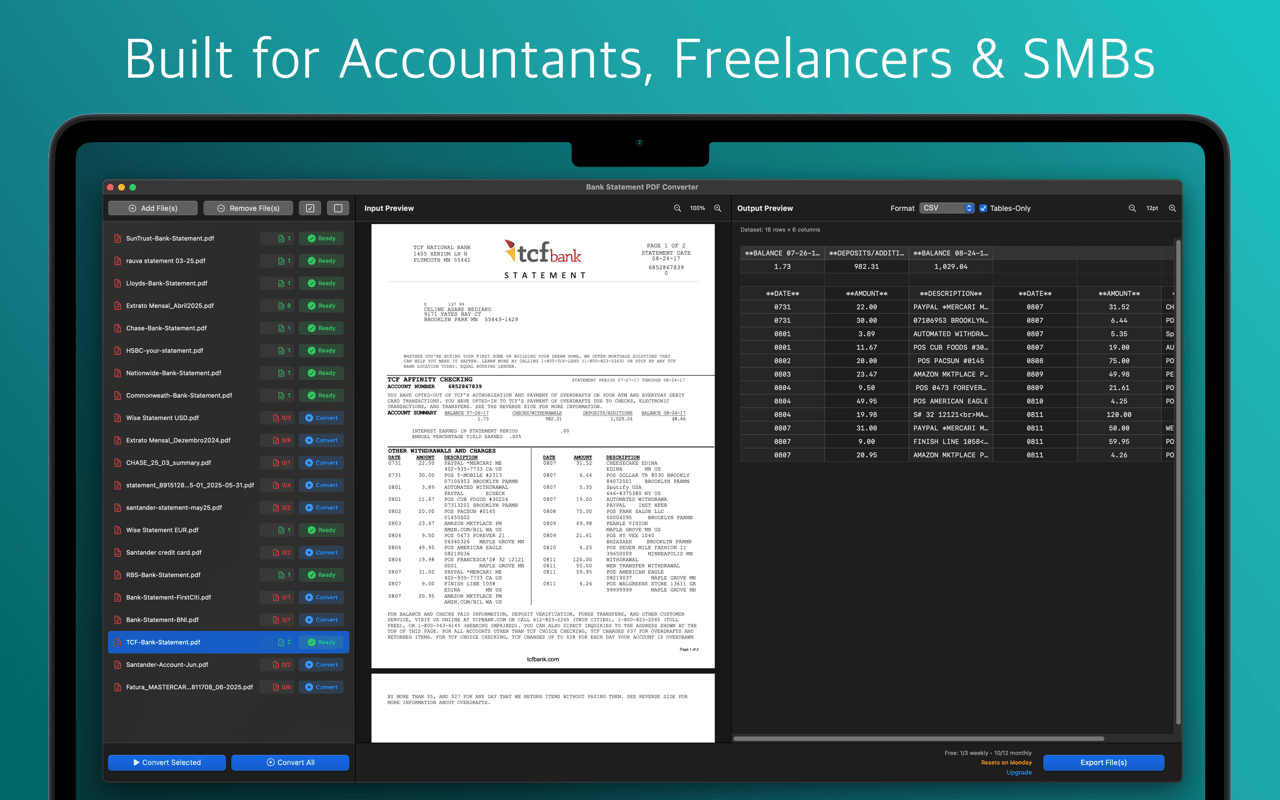
Original PDF on one side, extracted table on the other. Check every row against the source before you commit the export.
Strip away headers, footers, and statement summaries. Export a clean table of just the rows that matter for your books.
Scanned statements, photographs, or paper-first archives — the built-in OCR handles image-based PDFs, not just native ones.
No pre-loaded list of supported banks to keep in sync. If the statement is a bank statement, it's supported — personal or business.
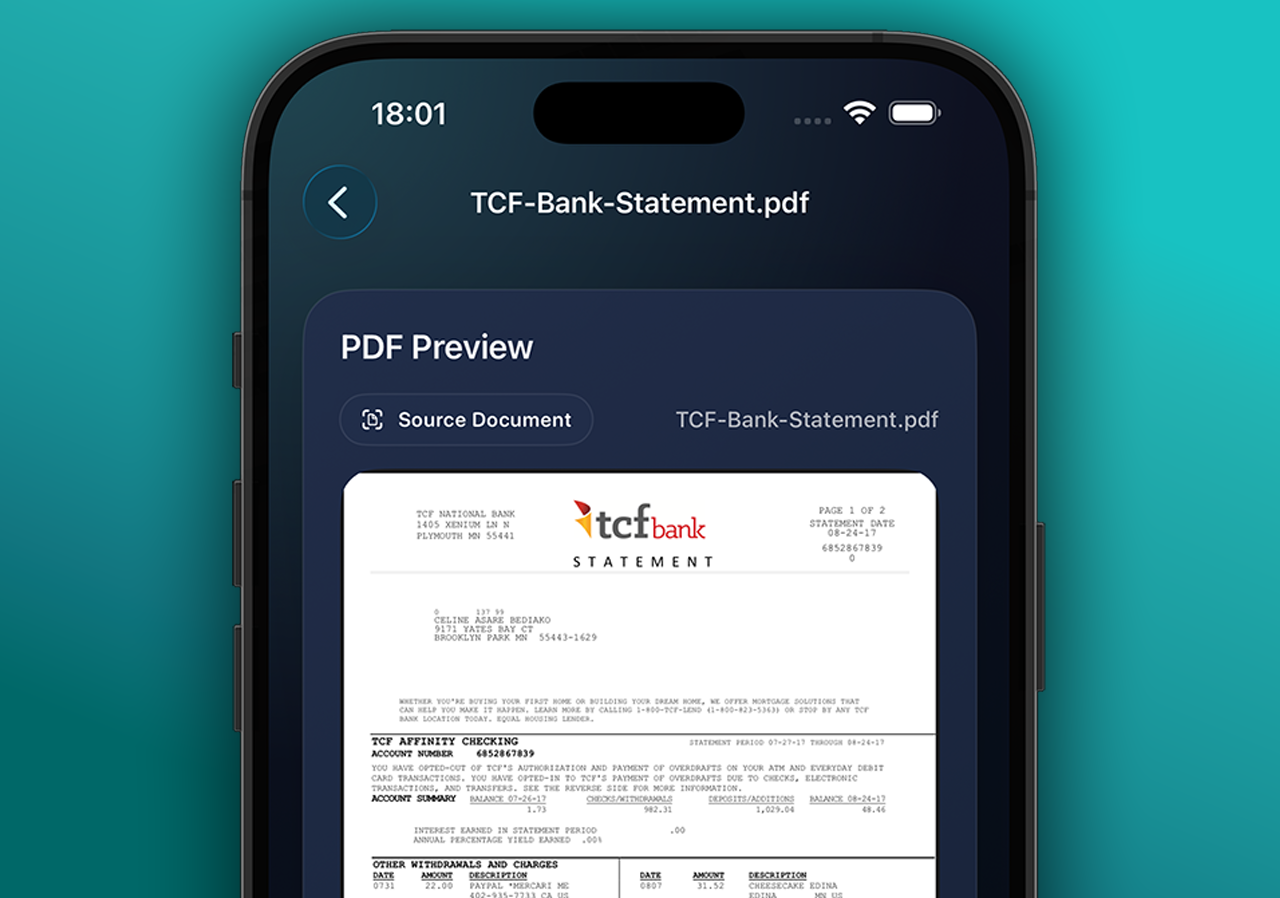
Convert from Files, email attachments, or iCloud Drive on iOS. Preview text, markdown, or a full transaction table right on device.
Your PDFs stay on your device while you browse and review. No accounts, no trackers, no resale of your statements.
Whether you're closing the books at your desk or triaging a receipt on a Saturday, the converter meets you where you are.
The full desktop workspace for accountants, freelancers, and anyone running real bookkeeping. Batch convert, review side-by-side, export to whatever spreadsheet your workflow uses.
The same accuracy on mobile. Convert statements from Files, Mail attachments, or iCloud Drive — then preview the output as text, markdown, or a scrollable table right on your phone or iPad.
One screen for every step — import, detect, review, export. No tab-switching, no third-party tools.
No manual table-copying, no PDF-to-Excel online converter gambling, no per-bank templates.
Drop a single file or a folder of them on the Mac app. On iPhone, pick from Files, an email attachment, or iCloud Drive. Digital or scanned — both work.
The converter reads the layout, finds the transaction table even when it's buried between marketing and summaries, and pulls out dates, descriptions, and amounts.
Original PDF on one side, extracted table on the other. Switch to transactions-only mode to hide everything that isn't a row.
Excel for your accountant, CSV for your bookkeeping app, Markdown for docs, TSV / XML / plain text for scripts. One extraction, any format.
Different tools want different shapes. The underlying transaction data is the same — you just pick what to save.
From month-end reconciliation to tax season, this is the tool that closes the loop between a PDF and your spreadsheet.
Convert a month of client statements into consistent spreadsheets in minutes. Reconcile against your ledger without re-typing a single row.
A year of statements into one clean Excel in an afternoon. Categorize, total, and hand the result to your accountant — or file yourself.
Pull specific charges out of your statements — refunds, subscriptions, retailer purchases — without squinting at a printed PDF.
Bank statements are the most sensitive document most people convert. The converter treats them like it. Your PDFs stay on your device while you browse and review, and the structured output is yours — period.
Step-by-step walkthroughs, side-by-side comparisons, and scenario guides — reconciliation, tax prep, retailer review.
The complete walkthrough — from a stack of PDFs to a single reconcilable Excel file, with verification tips for every row.
Native Mac app and iPhone companion vs a browser-based converter. Both use volume-based monthly subscriptions — different experience, different distribution.
Month-end reconciliation, tax-season prep, retailer reconciliation, per-bank tips, and more.
It converts bank statement PDFs — any bank, any format — into clean spreadsheet outputs you can use for bookkeeping, reconciliation, or tax prep. Export to Excel (XLSX), CSV, TSV, Markdown, XML, or plain text on macOS, or CSV, Markdown, and TXT on iOS.
Yes. The converter uses OCR plus a language model to find transaction tables, so it works with statements from any bank — US, UK, EU, LATAM, APAC, personal or business. It doesn't rely on per-bank templates, so niche regional banks, credit unions, and business accounts all convert.
Both. The Mac app supports batch conversion, every export format (XLSX, CSV, TSV, MD, XML, TXT), and a full side-by-side review workspace. The iPhone / iPad app handles on-the-go conversion from Files, email attachments, or iCloud Drive with CSV, Markdown, and plain-text export.
Your PDFs stay on your device while you're selecting and reviewing them. The converter uses a secure processing step to clean and structure the table output, and your original files are never stored on a server. There are no accounts, no tracking, and no resale of data. See the privacy policy for details.
Yes. On macOS you can queue up an entire folder of PDFs and batch-convert them in one pass, with consistent column structure across every statement — ideal for month-end or year-end workflows.
On macOS: XLSX (Excel), CSV, TSV, Markdown (.md), XML, and plain text (.txt). On iOS: CSV, Markdown, and plain text. Every format contains the same underlying transaction data with dates, descriptions, and amounts.
Yes. Built-in OCR reads scanned or image-based PDFs, not just digitally-generated ones. For best accuracy, use a clear scan at 200–300 DPI.
On macOS you get a side-by-side view — the original PDF on one side, the extracted table on the other — so you can verify every row before exporting. Transactions-only mode hides headers and summaries to give you a clean table.
Both apps are free to download with a trial. After the trial, each one runs on its own App Store subscription (monthly, quarterly, or annual) tiered by a monthly page allowance. The Mac and iPhone subscriptions are priced and billed independently — a Mac subscription does not unlock iPhone, and vice versa. Current tiers are shown in-app.
macOS 13.5 or later. Runs natively on Apple Silicon and Intel Macs. The iPhone app requires iOS 17 or later.
Download from the App Store and convert your first PDF in under a minute — on desktop or on the phone in your pocket.